The Serena app
Get the Serena app
One app to find care for your family, or to offer your services as a care professional in Costa Rica.
Choose your phone's storeFor your iPhoneFor your Android phone

On a computer? Scan the code with your phone's camera.
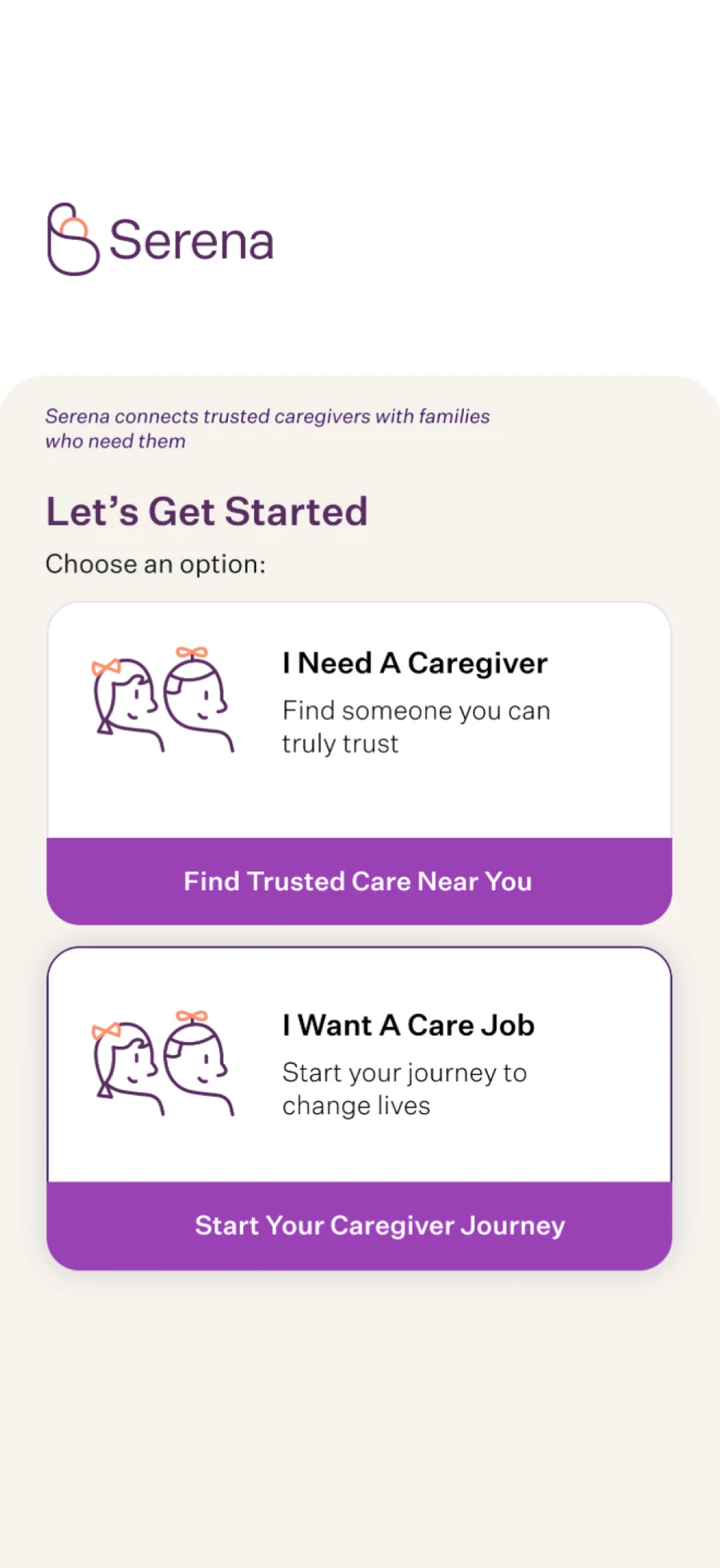
Families and care professionals use the same app: when you open it, you choose whether you need care or want to work in care.
In the app
What you can do in the app
Here's what the app does today. Pick the one that fits you:
If you're looking for care for your family
Search and choose care professionals
In the app you search by category and area, compare profiles and choose.
Profiles with experience, an intro video and reviews
Every profile shows experience, an intro video and reviews.
Booking and coordinating the service
You book and coordinate the service in the app, and you can book someone you already know again.
Chat with the care professional
You chat with the care professional inside the app.
Ratings and reviews
After the service you can leave a rating and a review.
Card payments in the app
You pay by card in the app.
If you want to work in care
Sign-up and profile
You sign up in the app and build your profile.
Services and availability
You choose which services you offer and when you're available.
Hours, earnings and payouts
You see your hours and earnings and get paid through the app.
To join, we ask for an ID, a criminal record certificate from Costa Rica's Judiciary and a résumé, and we'll tell you how to submit them. No check removes every risk, so we recommend that families talk with the professional before the first visit.
Want to train? Courses live on Sertify, Serena's online training platform. Explore Sertify (opens another site)
App language
Today, the app is in English
Here's a quick guide to the main buttons, so you know where to tap.
- I Need A CaregiverFind a care professional.
- I Want A Care JobOffer your services as a care professional.
- Find CareSearch by category and area.
- My ReservationsThe services you've booked.
- My MessagesYour chat with the care professional.
- Ratings & ReviewsRate a service and leave a review afterward.
- Rehire CaregiverBook someone you already know again.
- Delete AccountDelete your account, from your profile.
Help
Need help with the app?
Something went wrong with a service
Leave a rating and review in the app, and tell us what happened using the contact form.
Deleting your account
From your profile in the app, choose “Delete Account.” If you can't do it there, we'll help you through the form.
Emergencies
Serena is not an emergency service. In an emergency, call 9-1-1.
Questions about the app
Is there one app for families and another for professionals?
No, it's a single app. When you open it, you choose whether you need care or want to work in care.
Which phones does it work on?
On iPhone, from the App Store, and on Android phones running version 7.0 or newer, from Google Play.
Is the app in Spanish?
Today the app's interface is in English. This page includes a quick guide to the main buttons.
How do I pay for a service?
You pay by card in the app.
Are there professionals in my area?
Check availability in your area in the app, or write to us using the contact form.
How do I delete my account?
Go to your profile in the app and choose “Delete Account.” If you can't do it there, write to us using the contact form and choose “Privacy and personal data.”
Get the app
Find care or start working in care, right from your phone
On the App Store and Google Play.